VWORLD Withdrawal Guide – How to Cash Out Fast
VWORLD processes most withdrawals within 5 minutes. No withdrawal fee is charged. Follow the guide below for your preferred method. 查看中文版
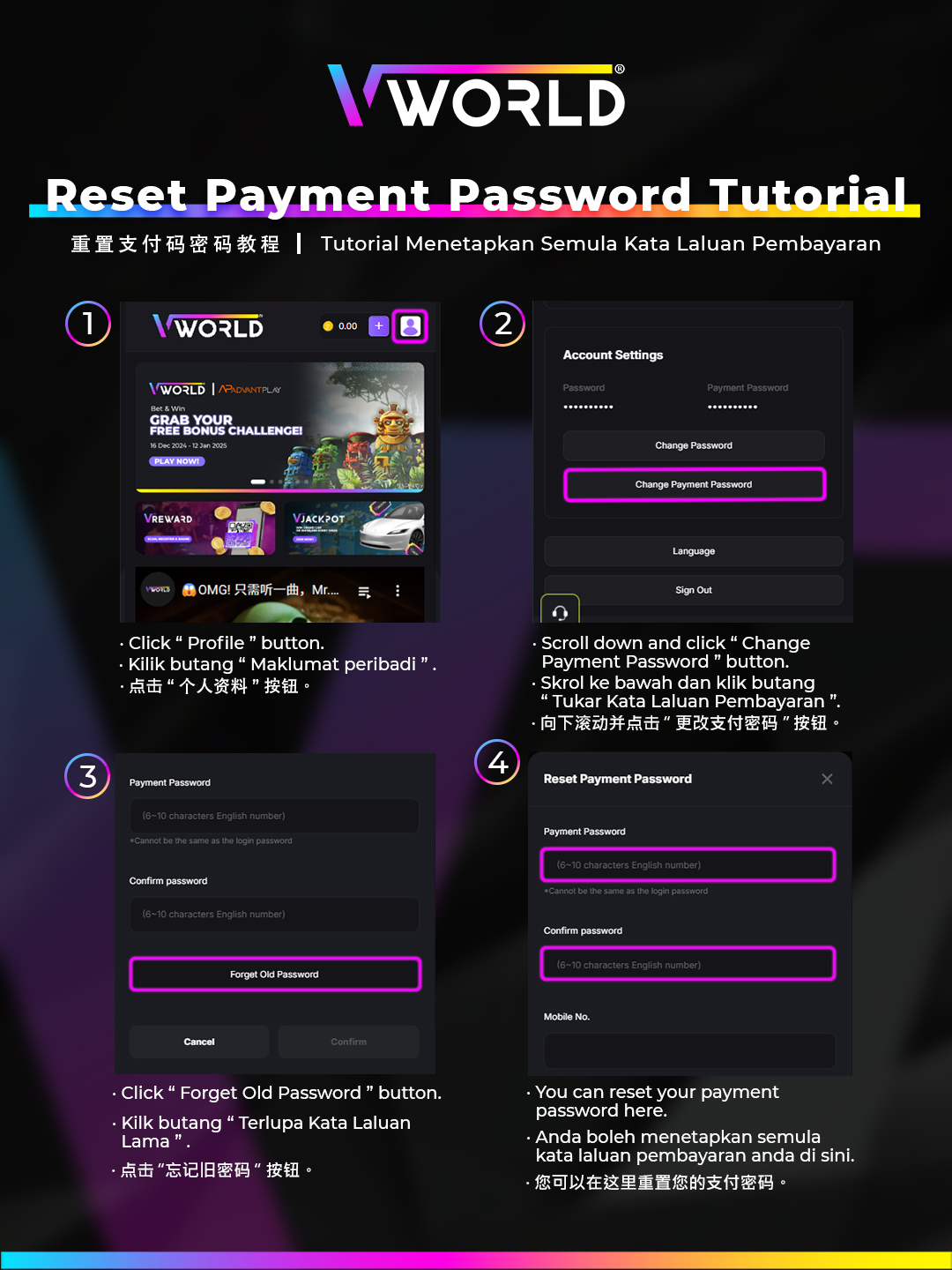
Standard Bank Withdrawal
- Tap Wallet → Withdraw in your account.
- Ensure your bank account details are saved (name, account number, bank).
- Enter the withdrawal amount.
- Enter your Payment Password to confirm.
- Your request is submitted — funds arrive within 5 to 30 minutes depending on the bank.
Withdraw via Touch n Go eWallet
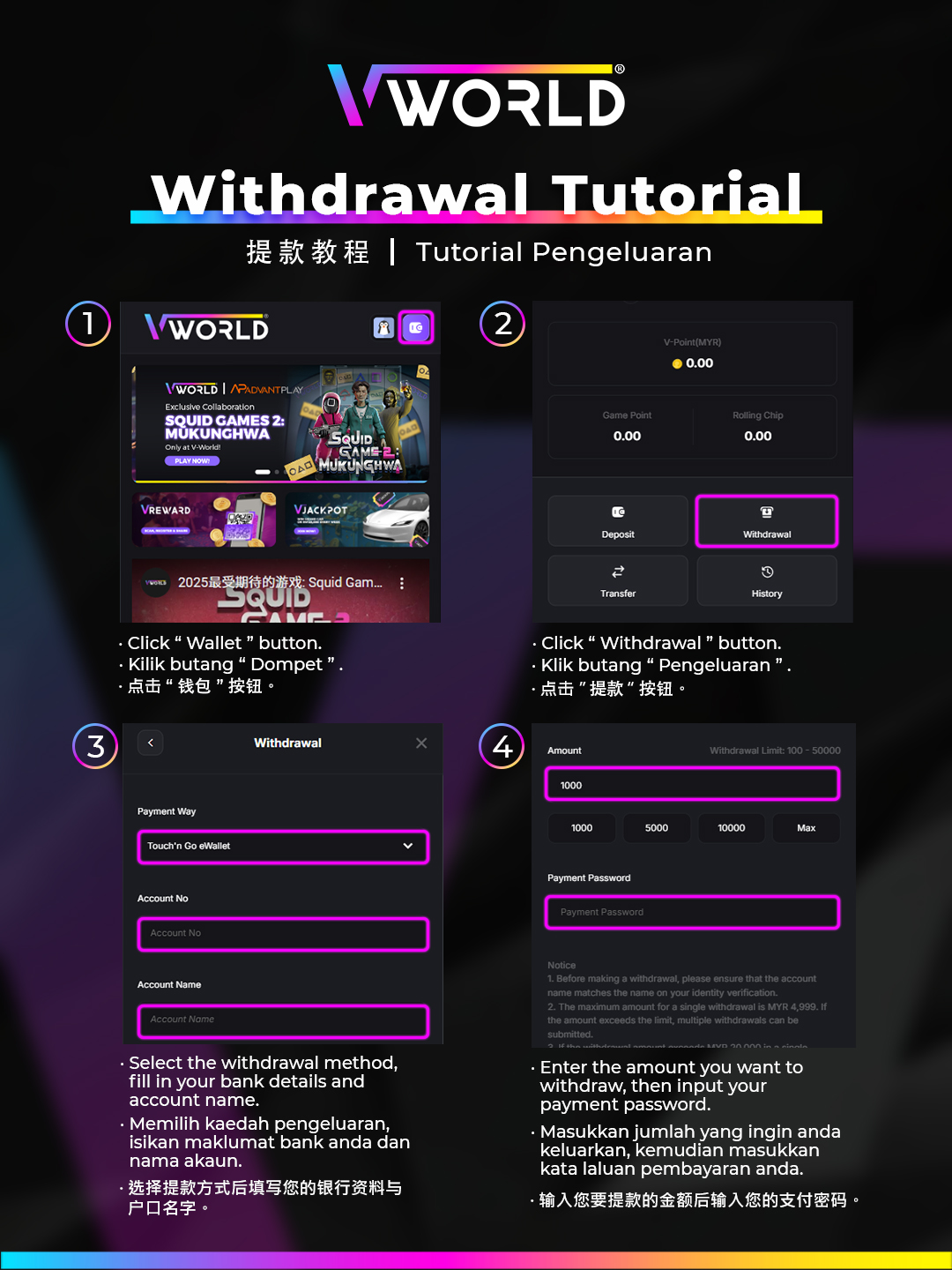
- Go to Wallet → Withdraw → TNG eWallet.
- Enter your TNG-registered phone number as the destination.
- Enter the withdrawal amount and your Payment Password.
- Confirm — funds appear in your TNG wallet within 5 minutes.
Self-Service Withdrawal
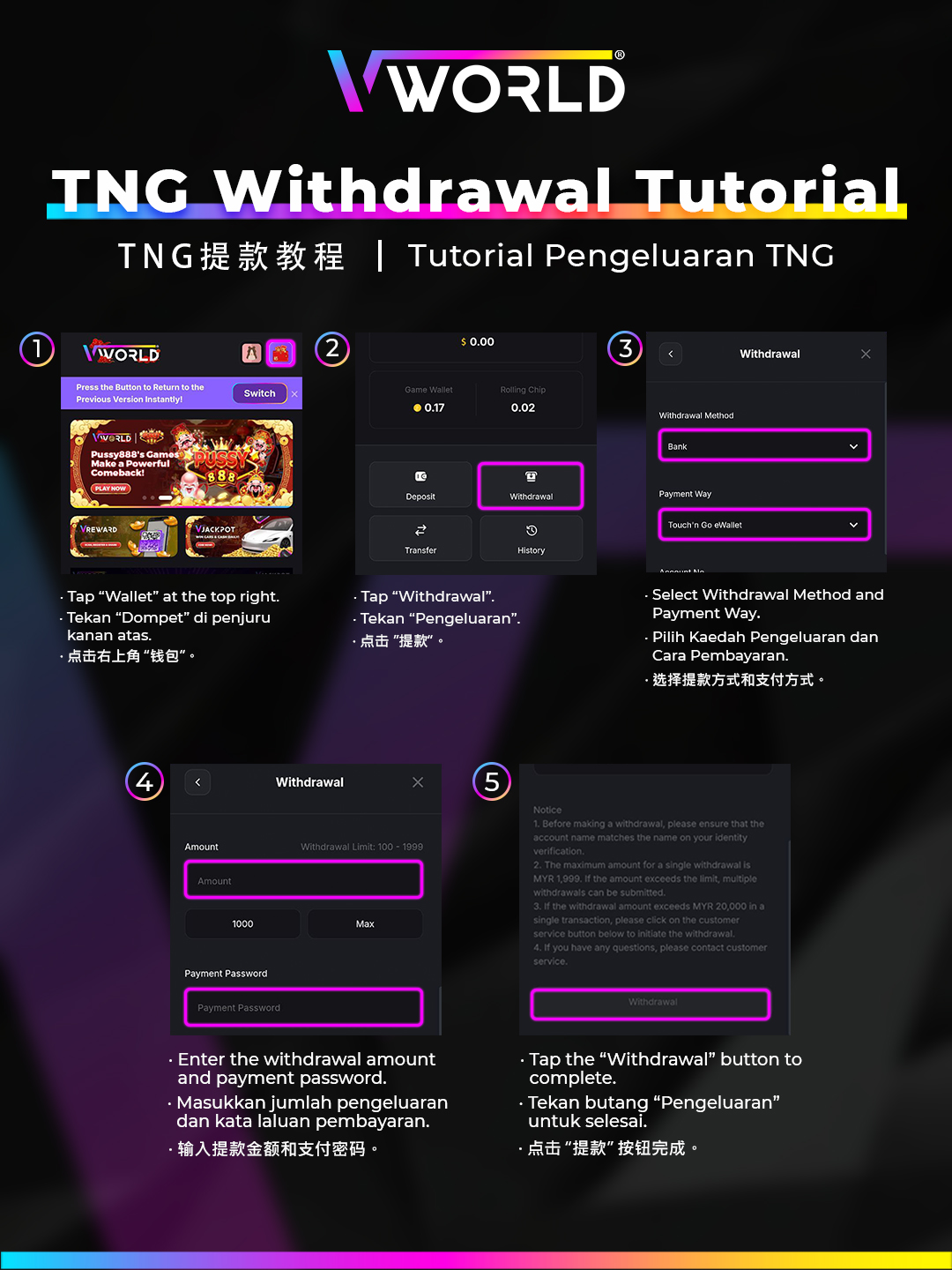
- Select Self-Service Withdrawal from the Withdraw options.
- Enter the amount you wish to withdraw.
- A QR code or transaction code will be generated.
- Proceed to the designated terminal and complete the cash-out.
- Collect your cash and retain the receipt for records.
Reset Your Payment Password
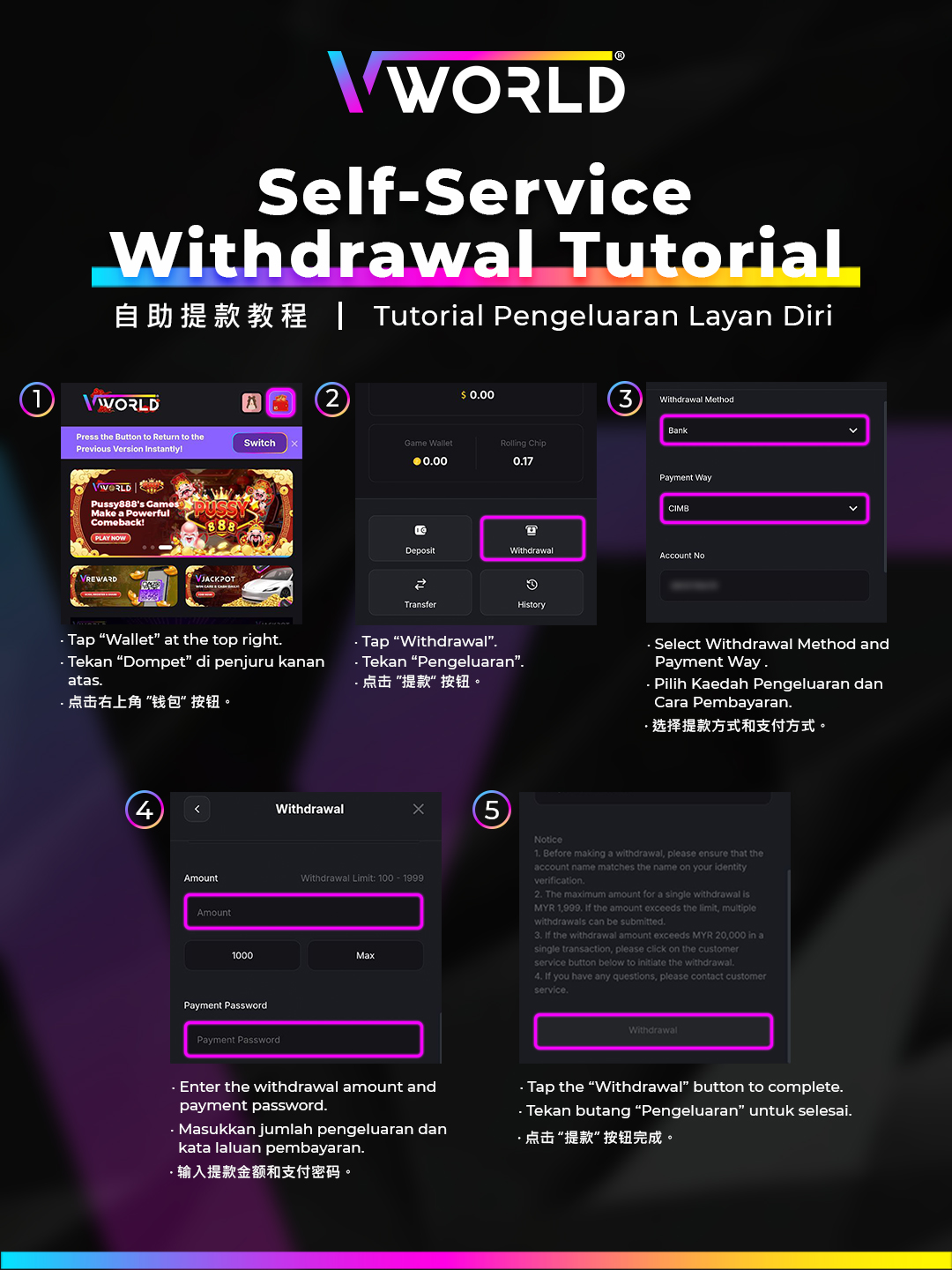
The Payment Password is separate from your login password and is required for all withdrawals. If you have forgotten it, follow these steps:
- Go to Profile → Security → Reset Payment Password.
- Verify your identity via OTP sent to your registered phone.
- Set a new 6-digit Payment Password.
- Confirm — you can now proceed with withdrawals using the new password.