VWORLD Deposit Guide – All Payment Methods
Step-by-step illustrated tutorials for every deposit method available at VWORLD Malaysia. Minimum deposit is RM 10. 查看中文版
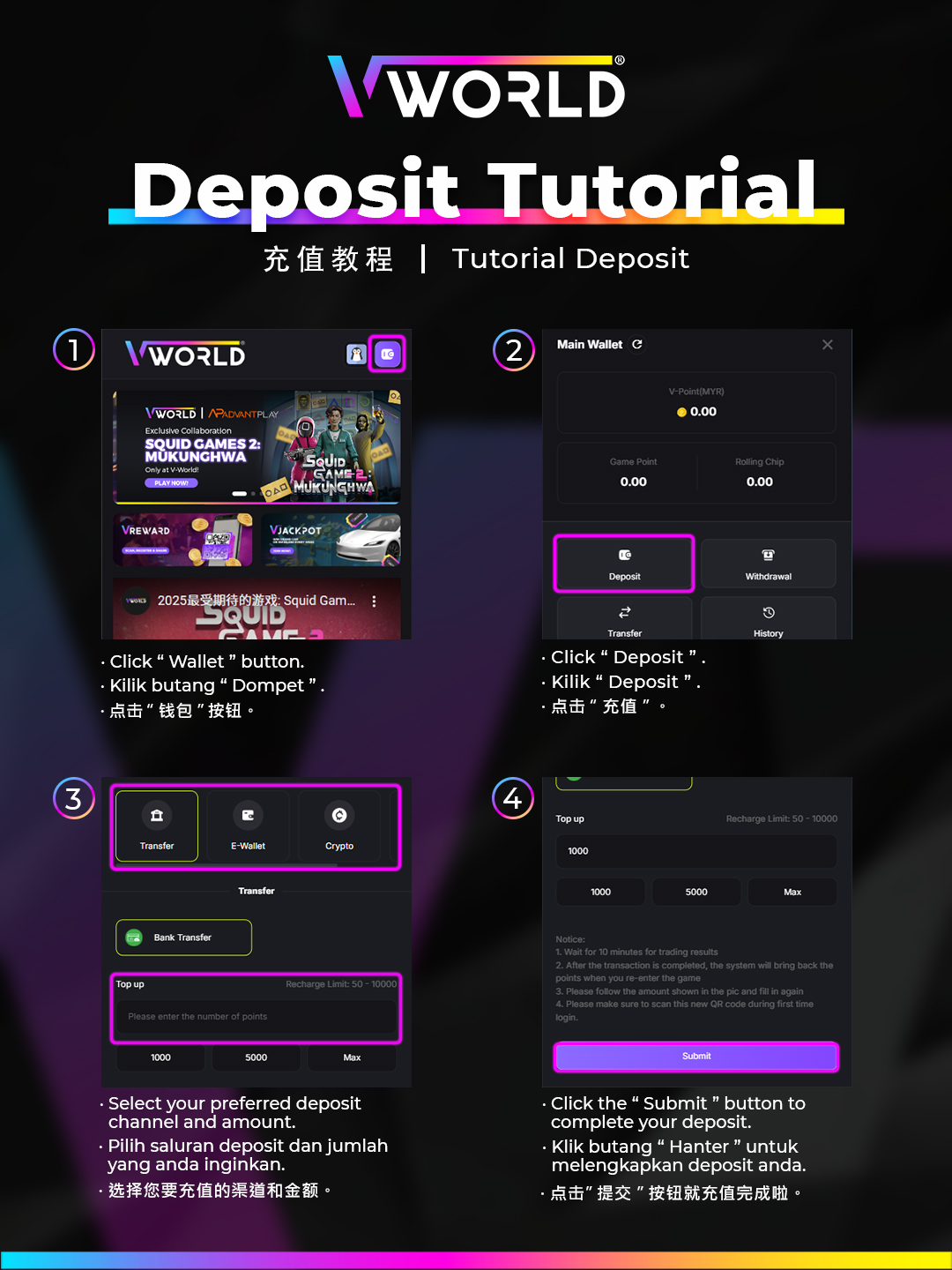
Deposit via Online Banking / DuitNow
- Log in and tap Deposit in your wallet.
- Select Online Banking / DuitNow as payment method.
- Enter the deposit amount (minimum RM 10).
- You will be redirected to your bank's secure payment page.
- Authenticate with your banking credentials or biometrics.
- Confirm the transfer — funds appear in your VWORLD wallet within seconds.
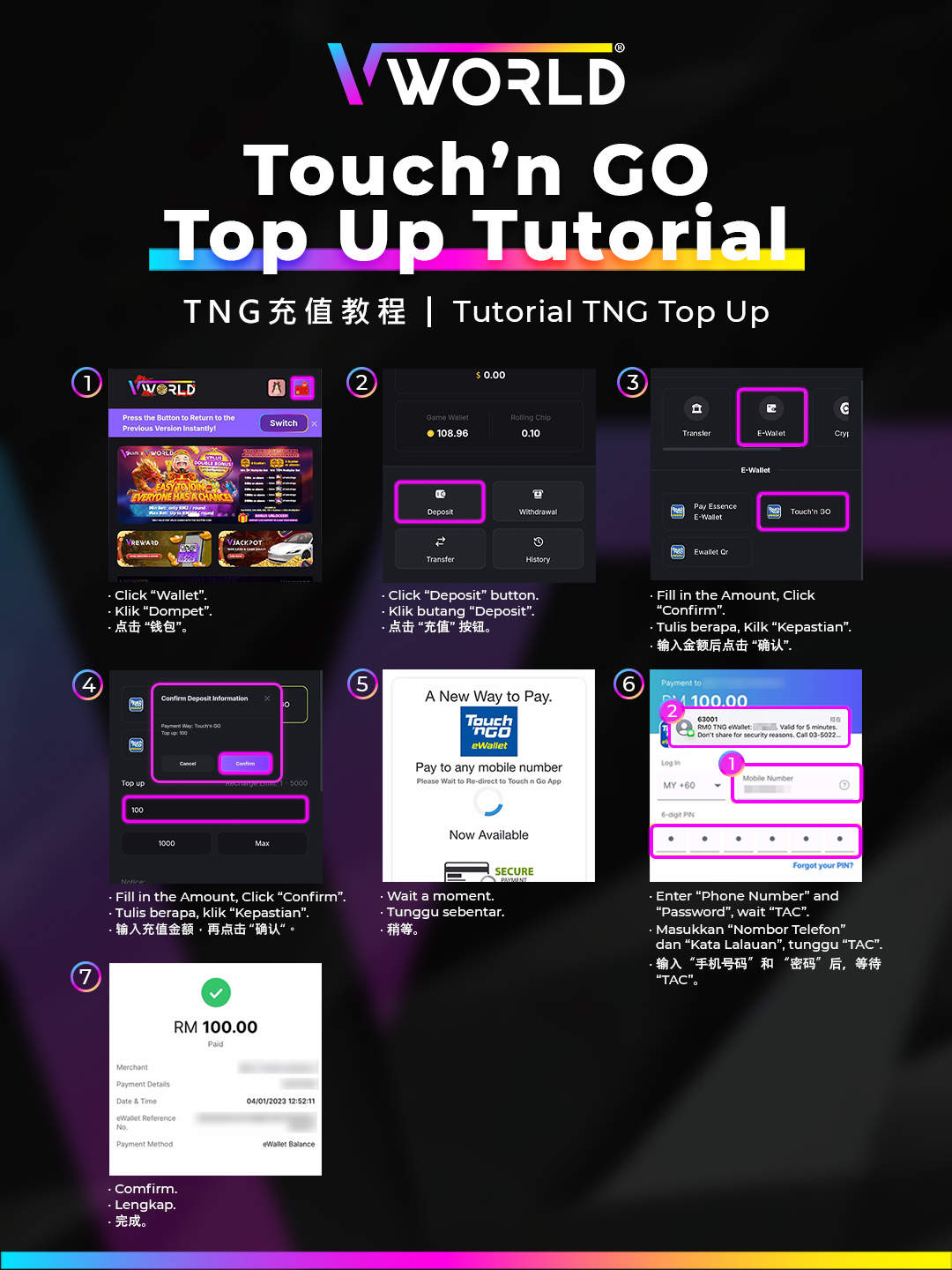
Deposit via Touch n Go eWallet
- Select eWallet / TNG in the Deposit section.
- Enter the amount and choose Touch n Go from the options.
- You will be redirected to the TNG app for authorisation.
- Approve the payment with your TNG PIN or biometrics.
- Return to VWORLD — the funds will be credited instantly.
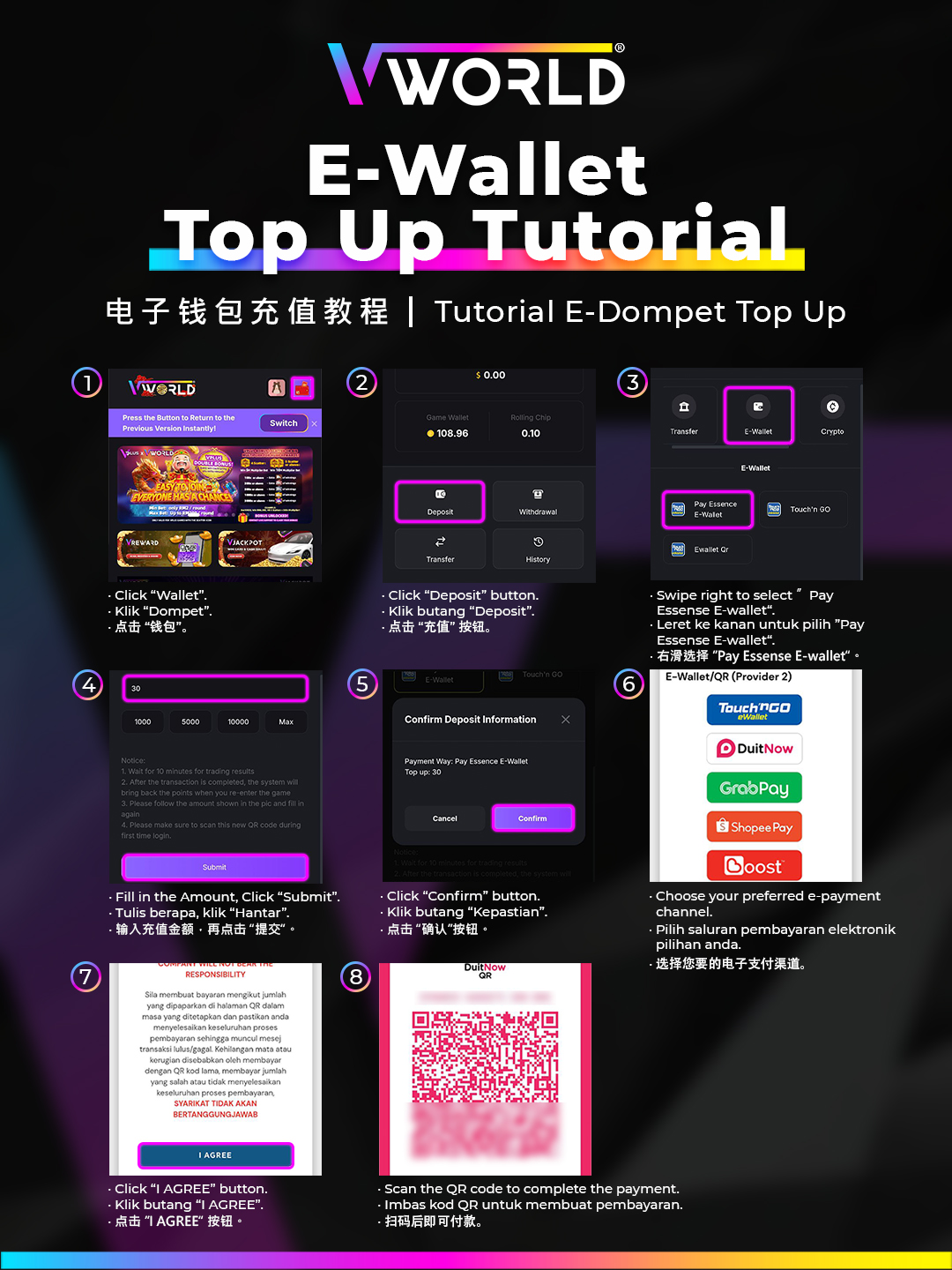
Self-Service Top-Up
The self-service deposit option lets you top up using a QR code scan at selected payment terminals and kiosks.
- Select Self-Service Top-Up in the Deposit section.
- Choose your amount and generate the QR code.
- Scan the QR code at the payment terminal.
- Complete the payment and keep your receipt as confirmation.
- Funds are credited automatically upon payment confirmation.
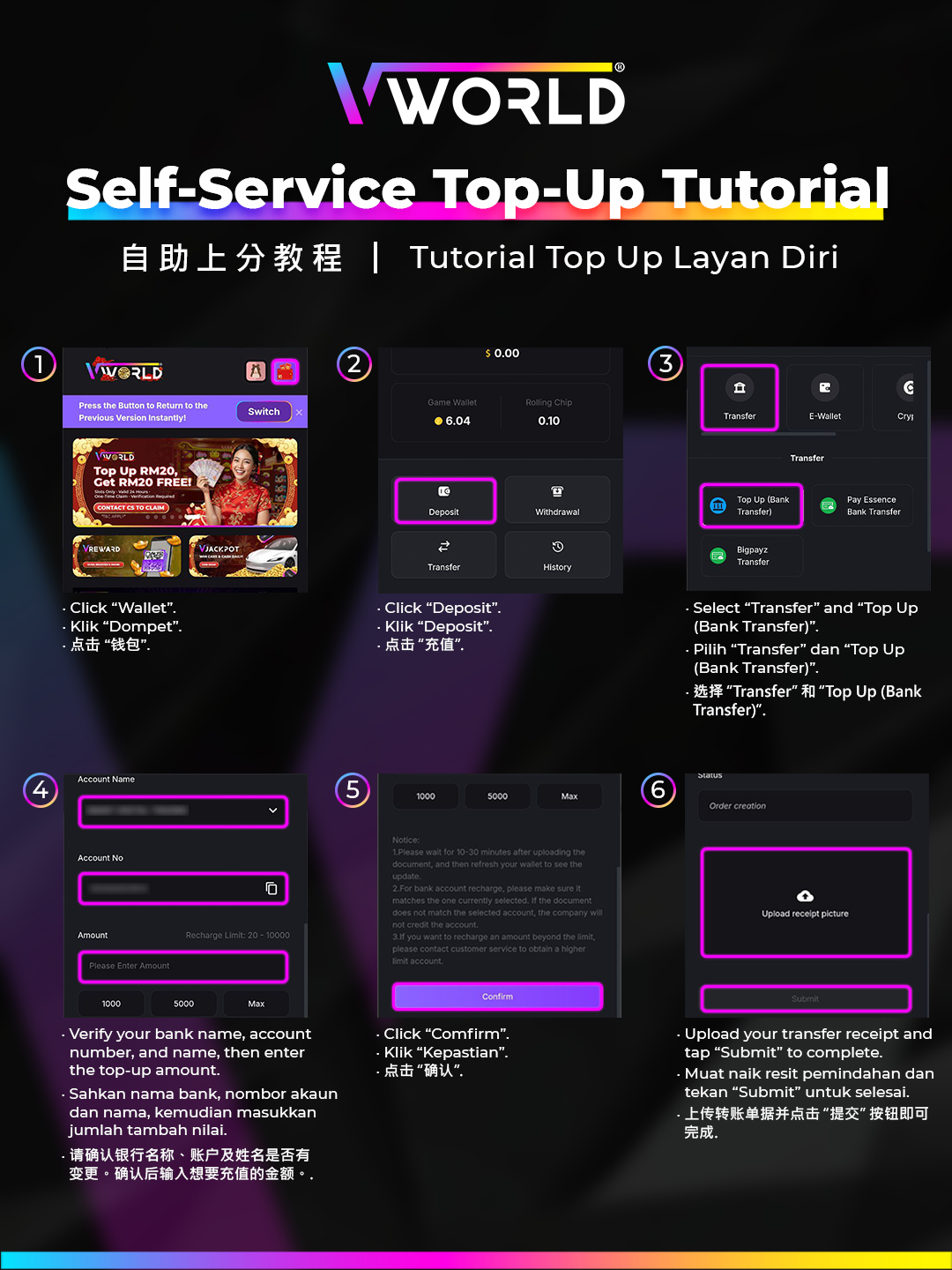
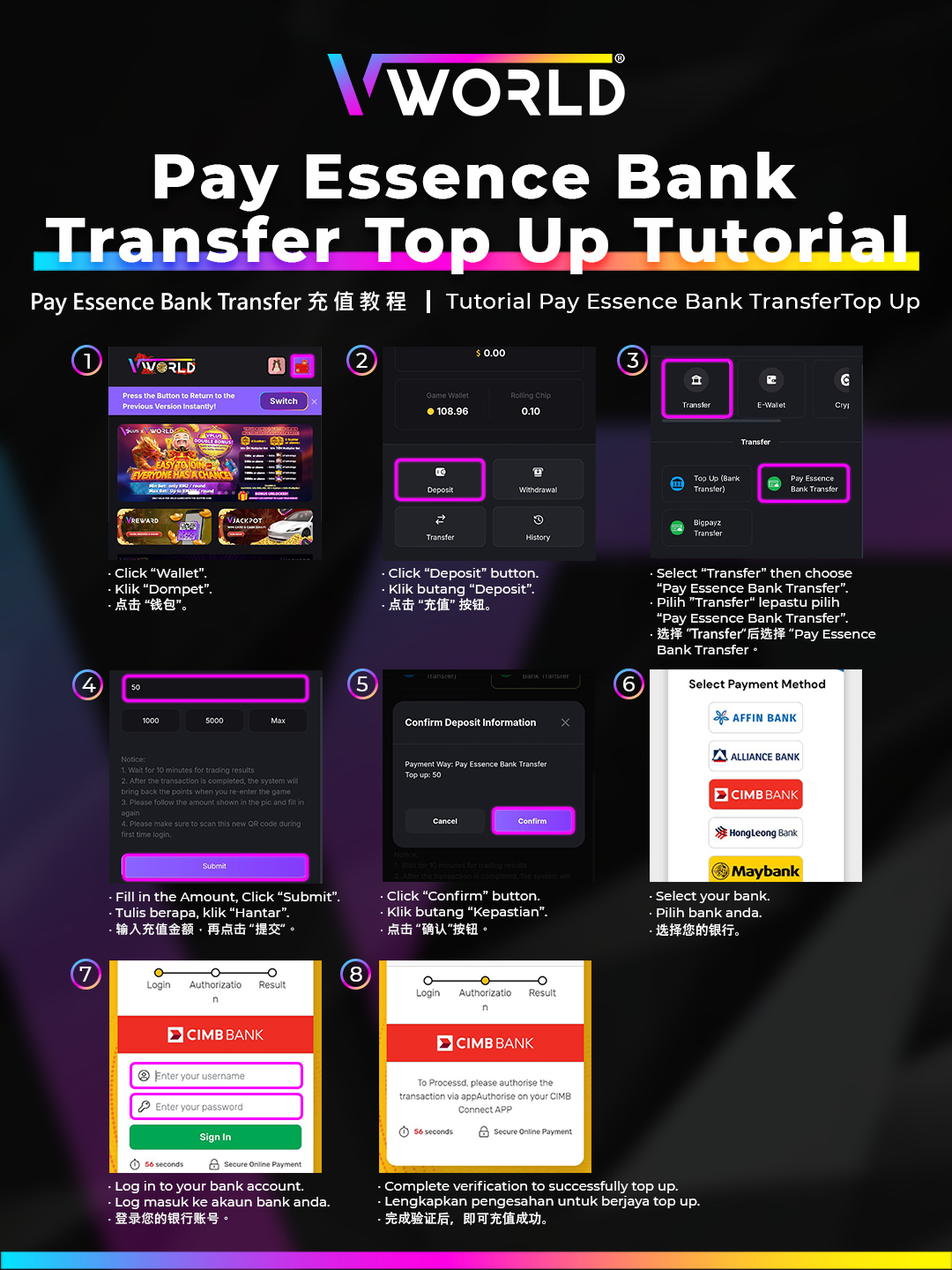
Bank Transfer Deposit
- Select Bank Transfer in the Deposit section.
- Choose the receiving bank account from the list displayed.
- Transfer the exact amount from your online banking app.
- Upload your transfer receipt or enter the transaction reference number.
- Wait for verification — usually completed within 5 to 15 minutes.