VWORLD Bonus & Rebate Tutorial
Learn how to claim your weekly cashback rebate, use the V-Rebate self-service feature, send red envelopes to friends, and track your wagering turnover. 查看中文版
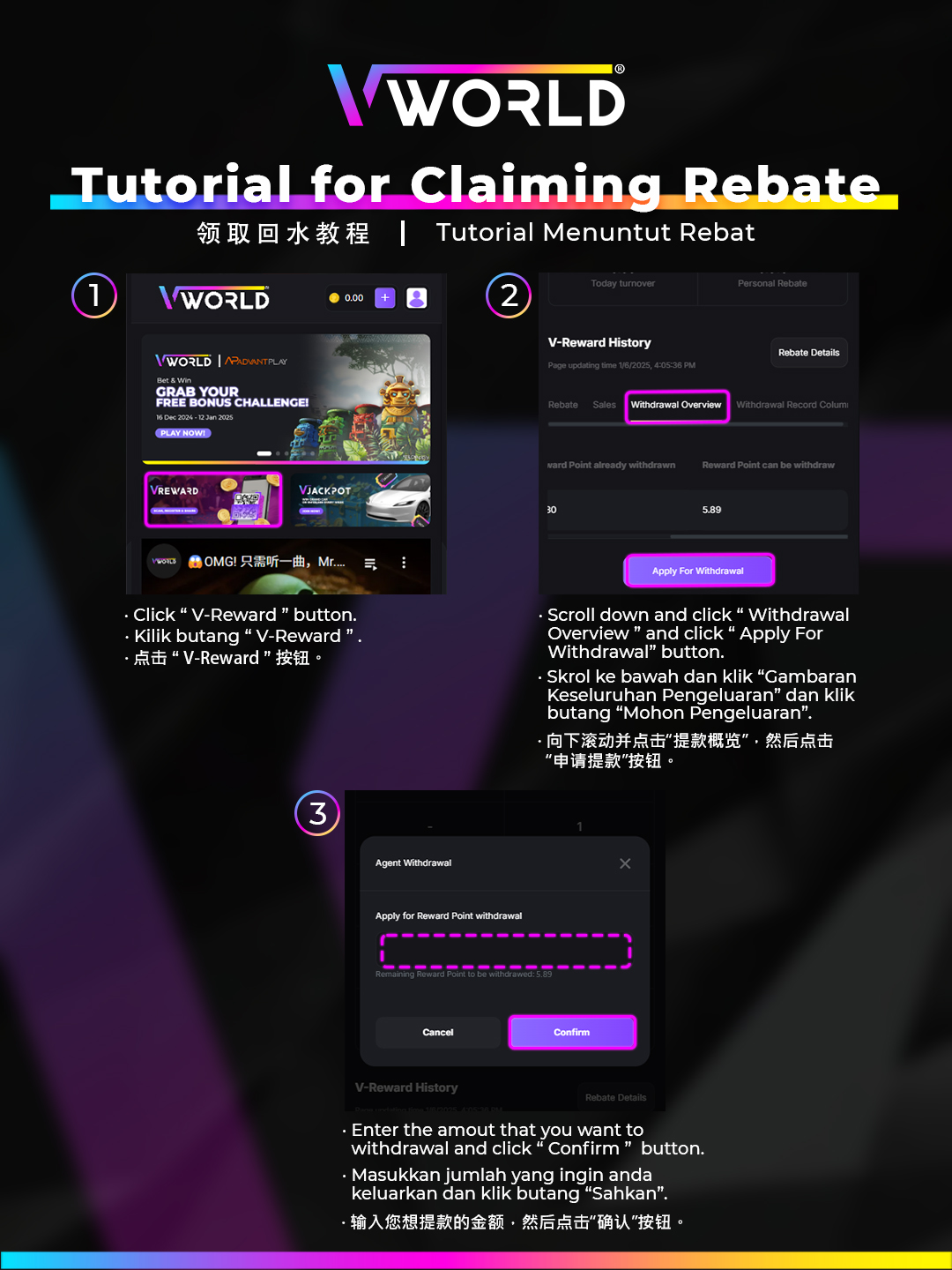
How to Claim Your Weekly Rebate
The rebate is automatically credited every Monday, but you can also claim it manually at any time using V-Rebate.
- Go to Promotions → Weekly Rebate in your account.
- Your eligible rebate amount is displayed based on the current week's bets.
- Tap Claim Rebate to transfer the amount to your main wallet immediately.
- The rebate is withdrawable without additional wagering requirements.

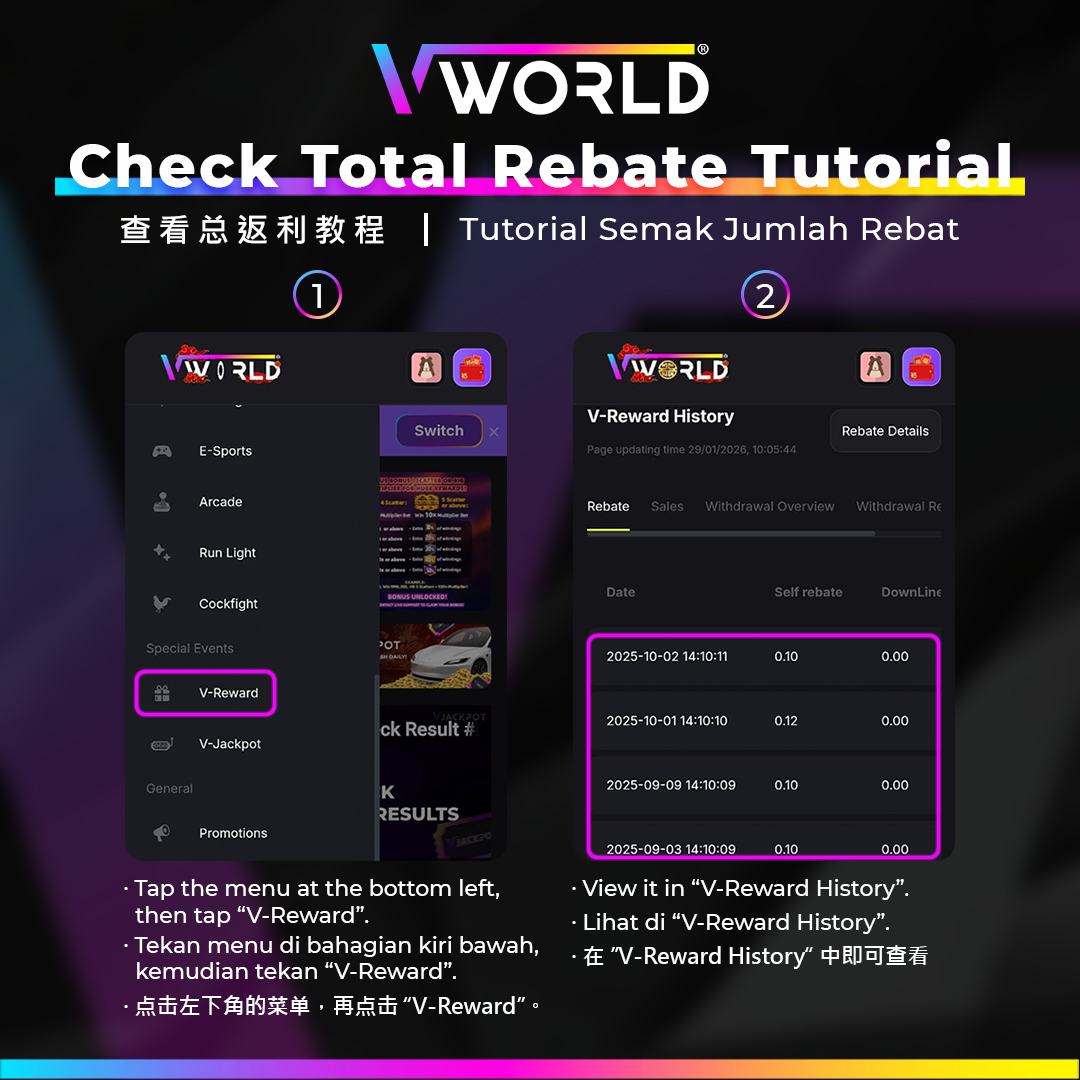
Check Your Total Rebate Earned
- Navigate to Wallet → Rebate History or Promotions → Rebate Summary.
- You can see a breakdown of rebate earned by day and game category.
- Total historical rebate is also visible for reference.
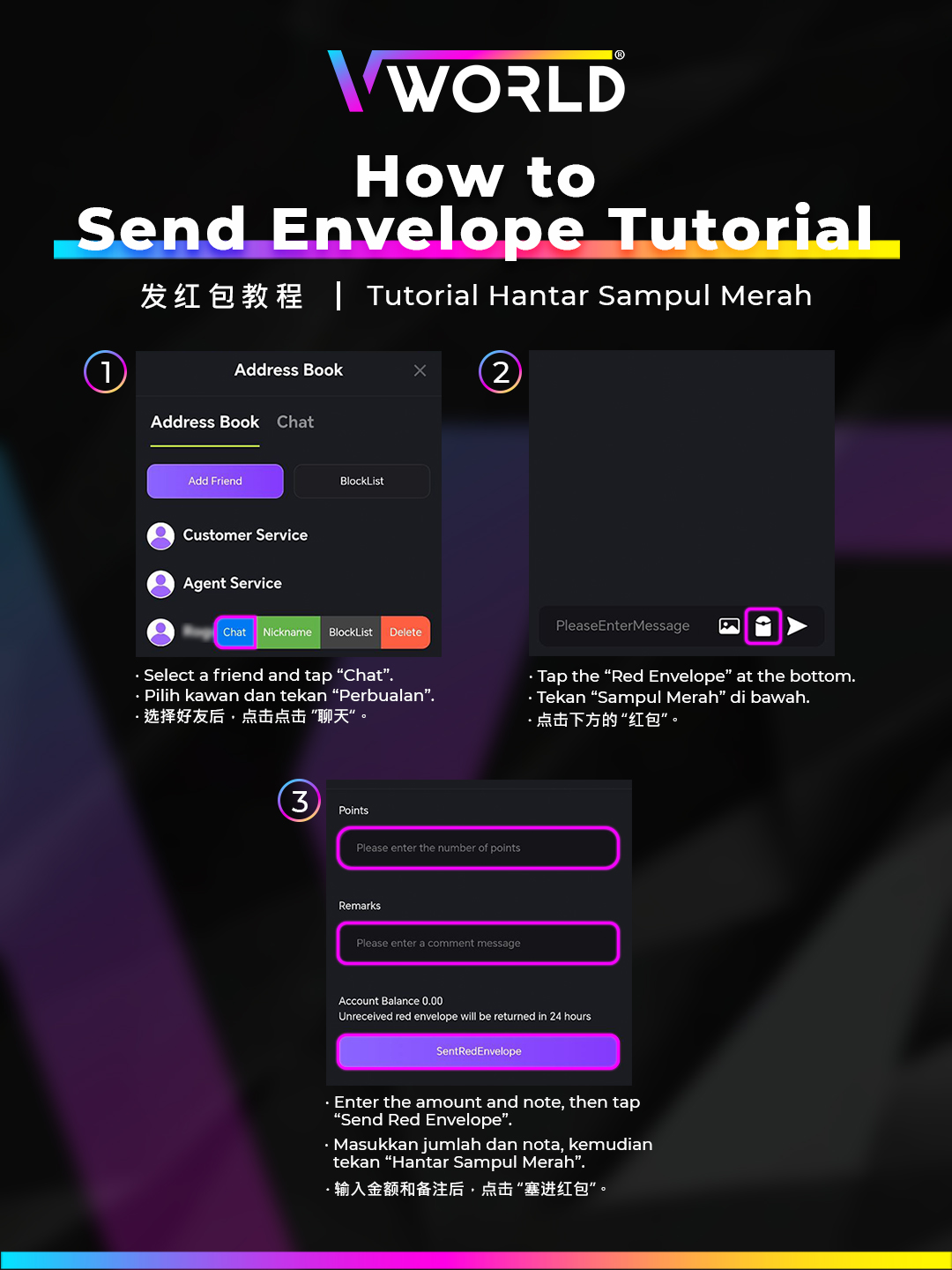
How to Send a Red Envelope to Friends
- Go to Profile → Friends → Send Envelope.
- Select the friend(s) you want to send to.
- Enter the amount for the envelope.
- Confirm the send — the amount is deducted from your main wallet and credited to your friend.
How to Check Your Wagering Turnover
Turnover tracking helps you know how much wagering remains before your bonus becomes withdrawable.
- Go to Wallet → Bonus Wallet or Promotions → Turnover Progress.
- Your current turnover completed vs. required is shown as a progress bar.
- The remaining amount needed to unlock full withdrawal is displayed.