VWORLD Mobile App Settings – Complete Setup Guide
Get the best VWORLD experience on your phone. Add it to your home screen for full-screen access, allow pop-ups for seamless gameplay, and learn to manage your wallets. 查看中文版
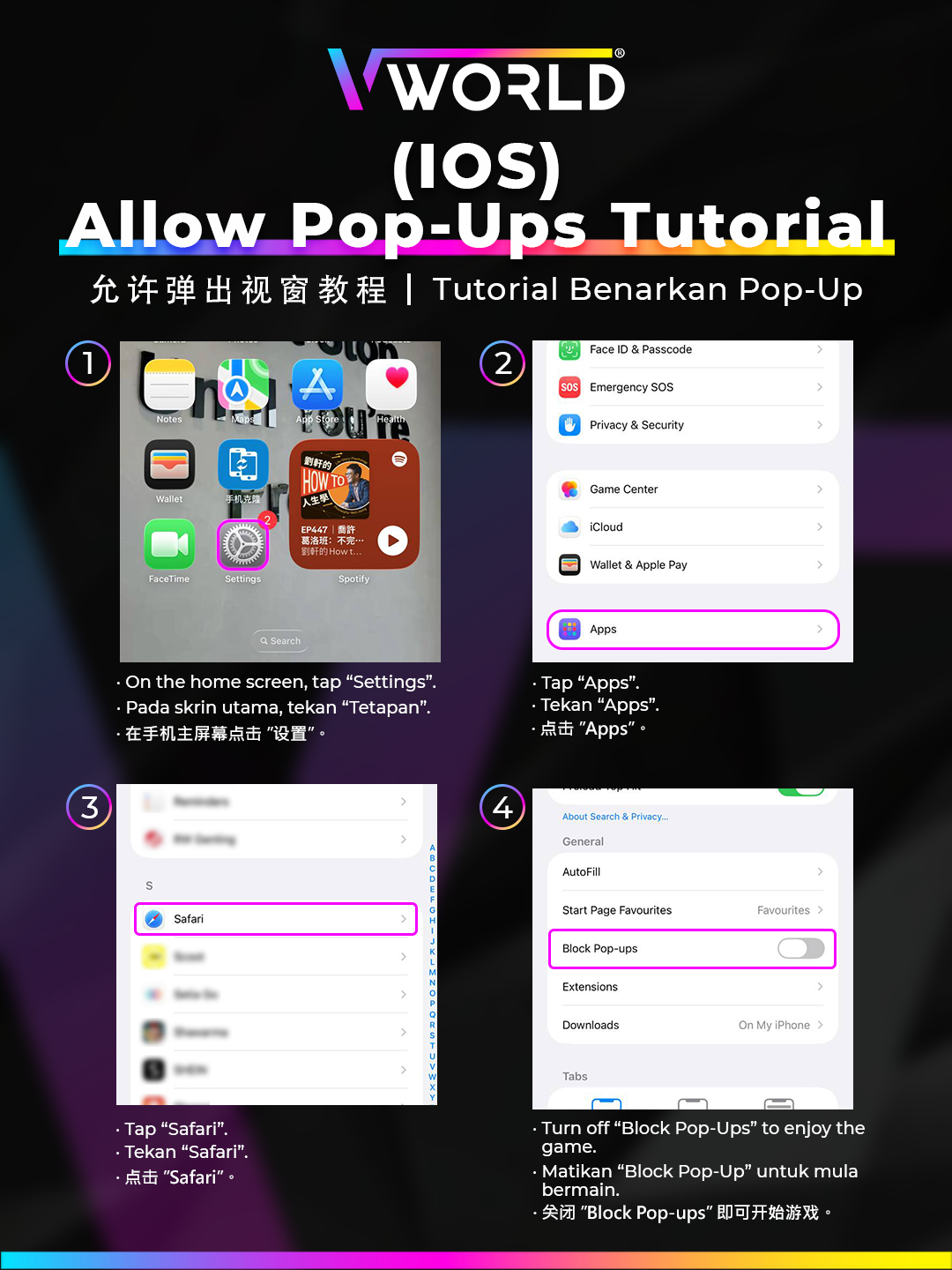
Add VWORLD to Your Home Screen (iOS & Android)
iPhone (Safari)
- Open vworldofficial.net in Safari.
- Tap the Share icon (square with arrow).
- Scroll down and tap Add to Home Screen.
- Confirm the name and tap Add.
Android (Chrome)
- Open vworldofficial.net in Chrome.
- Tap the three-dot menu (⋮) at top right.
- Tap Add to Home Screen.
- Confirm by tapping Install.
Allow Pop-ups on Android
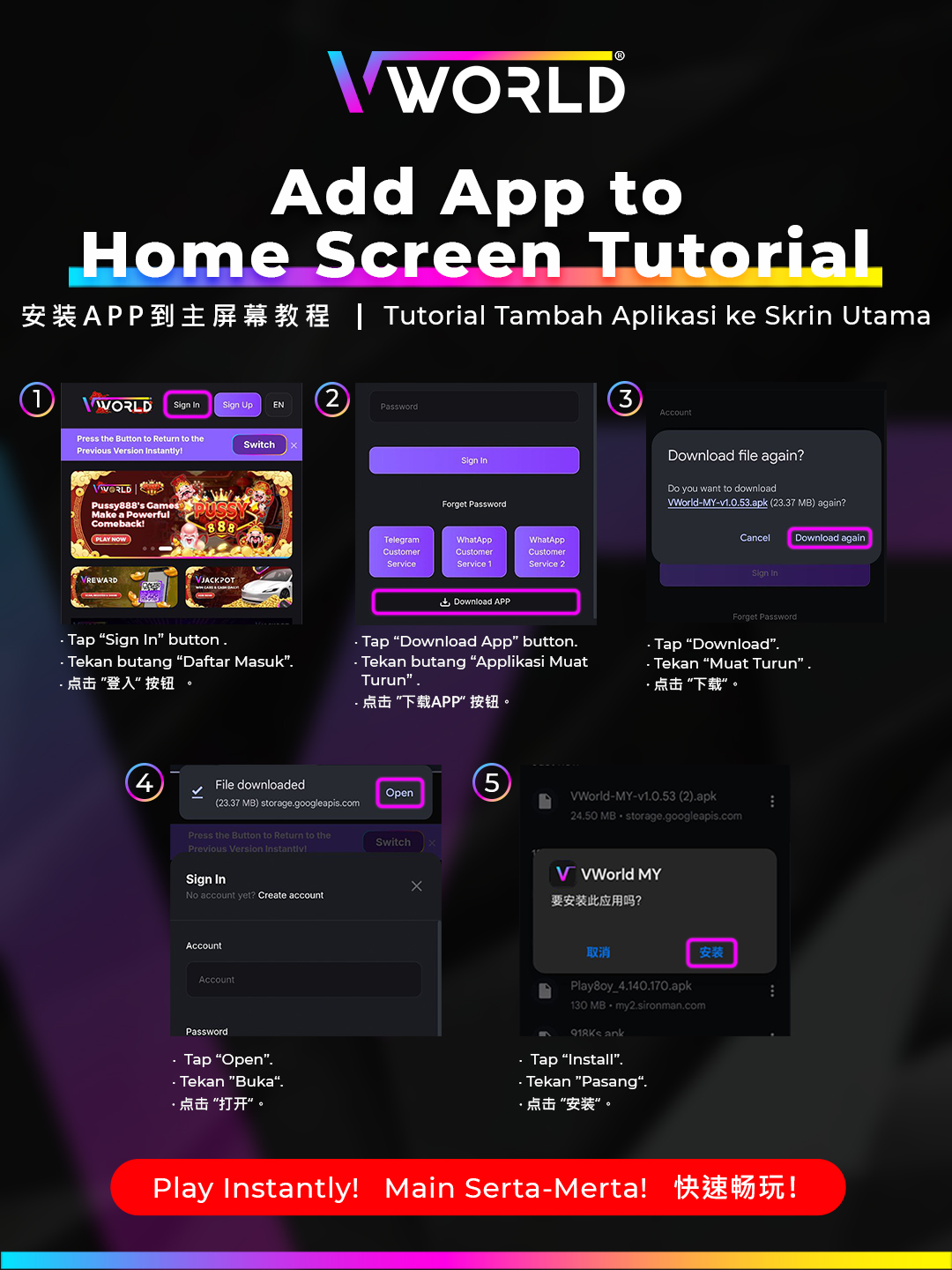
Some game providers open in a pop-up window. If games aren't loading, enable pop-ups in Chrome settings:
- Open Chrome on your Android device.
- Tap the three-dot menu → Settings → Site Settings → Pop-ups and Redirects.
- Toggle to Allow.
- Return to VWORLD and refresh the page.
Allow Pop-ups on iPhone (iOS Safari)
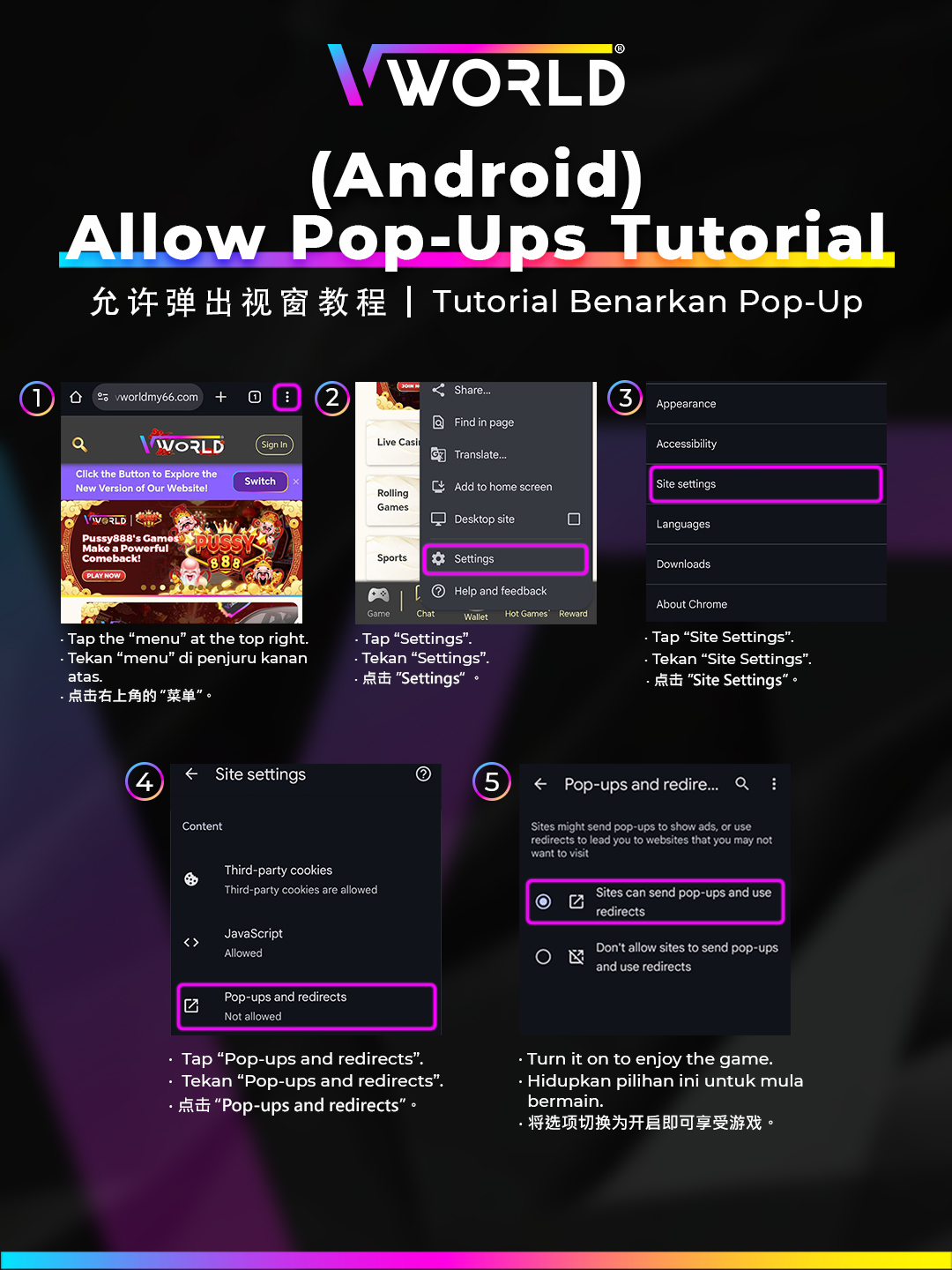
- Open iPhone Settings → Safari.
- Scroll to Block Pop-ups and toggle it off.
- Return to Safari and refresh the VWORLD page.