VJackpot Tutorial – Tickets, Results & Winner Records
VJackpot is VWORLD's automatic daily prize draw. This guide shows you how to check your ticket count, view daily results, and browse past winner records. 查看中文版
How to Check Your VJackpot Raffle Tickets
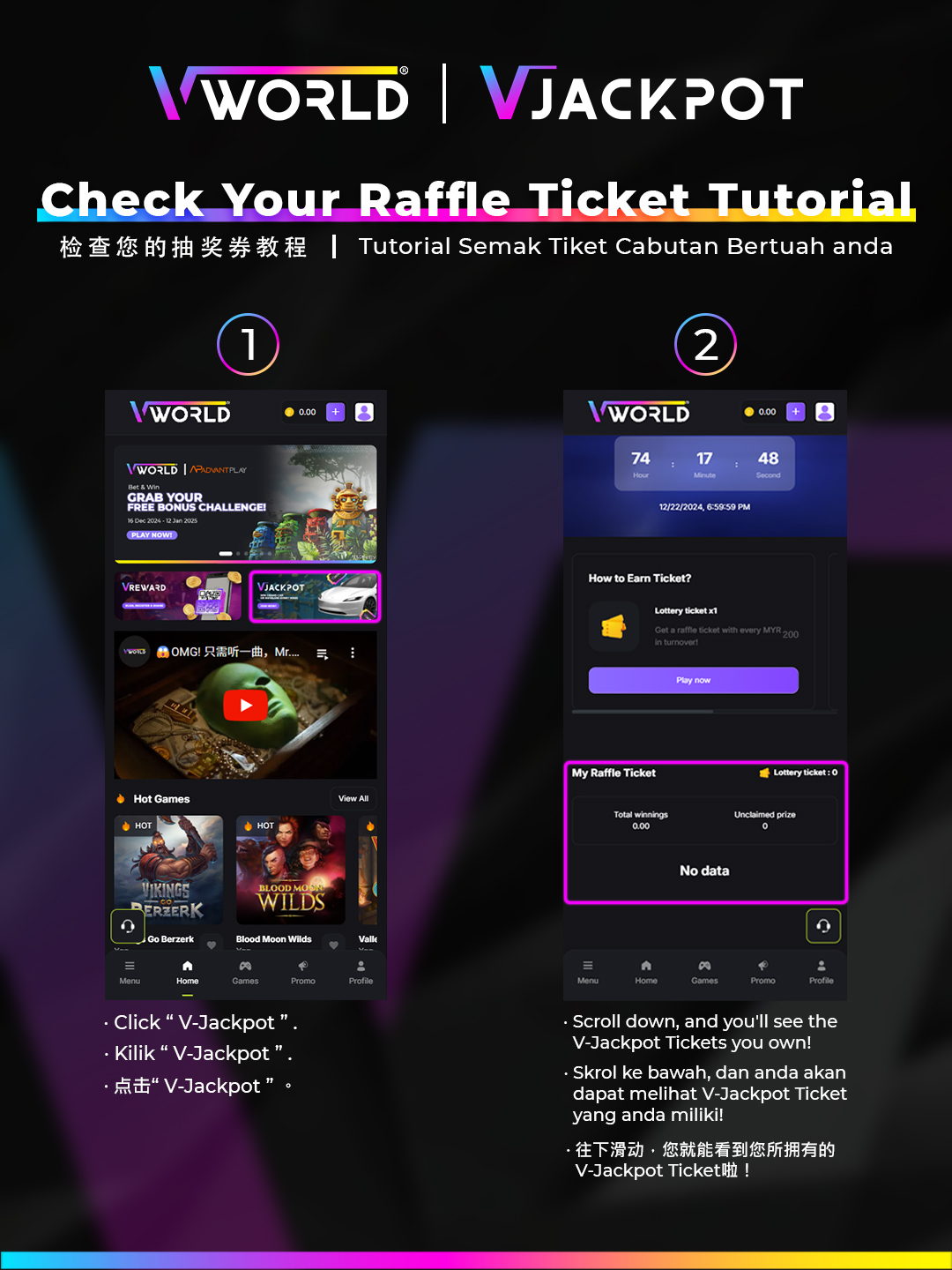
Every real-money bet earns raffle tickets automatically. Here's how to see your current ticket balance:
- Log in to your VWORLD account.
- Navigate to VJackpot from the main menu or promotions section.
- Your current ticket count for today's draw is displayed prominently.
- You can also see your ticket history from previous days.
View VJackpot Winner Records
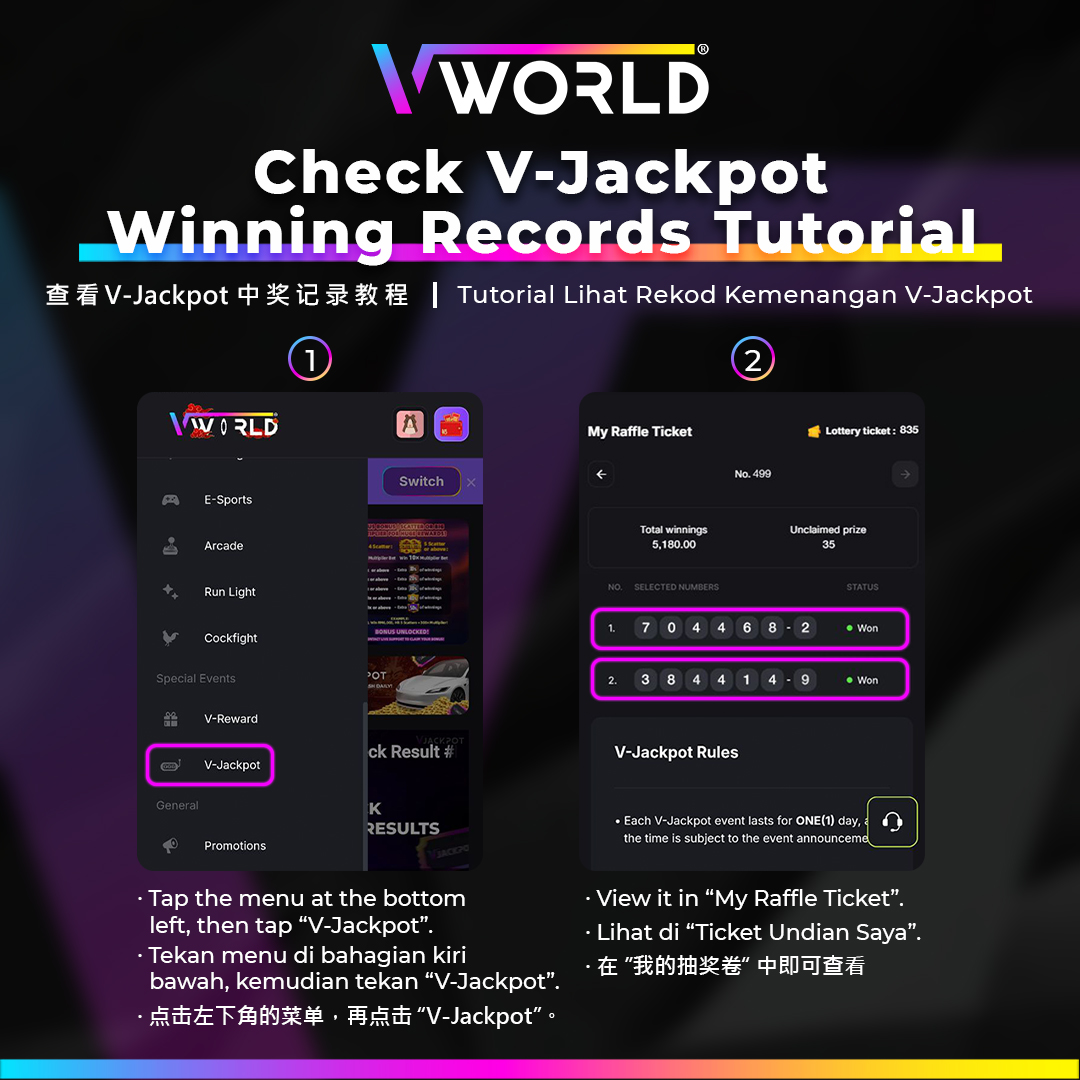
VWORLD publishes winner records (with masked member IDs for privacy) so you can verify that real draws are happening and see the prize amounts awarded.
- In the VJackpot section, tap Winner Records or Previous Winners.
- A list of past winners with masked IDs and prize amounts is displayed.
- You can filter by date to see specific draw results.
Check Daily VJackpot Draw Results
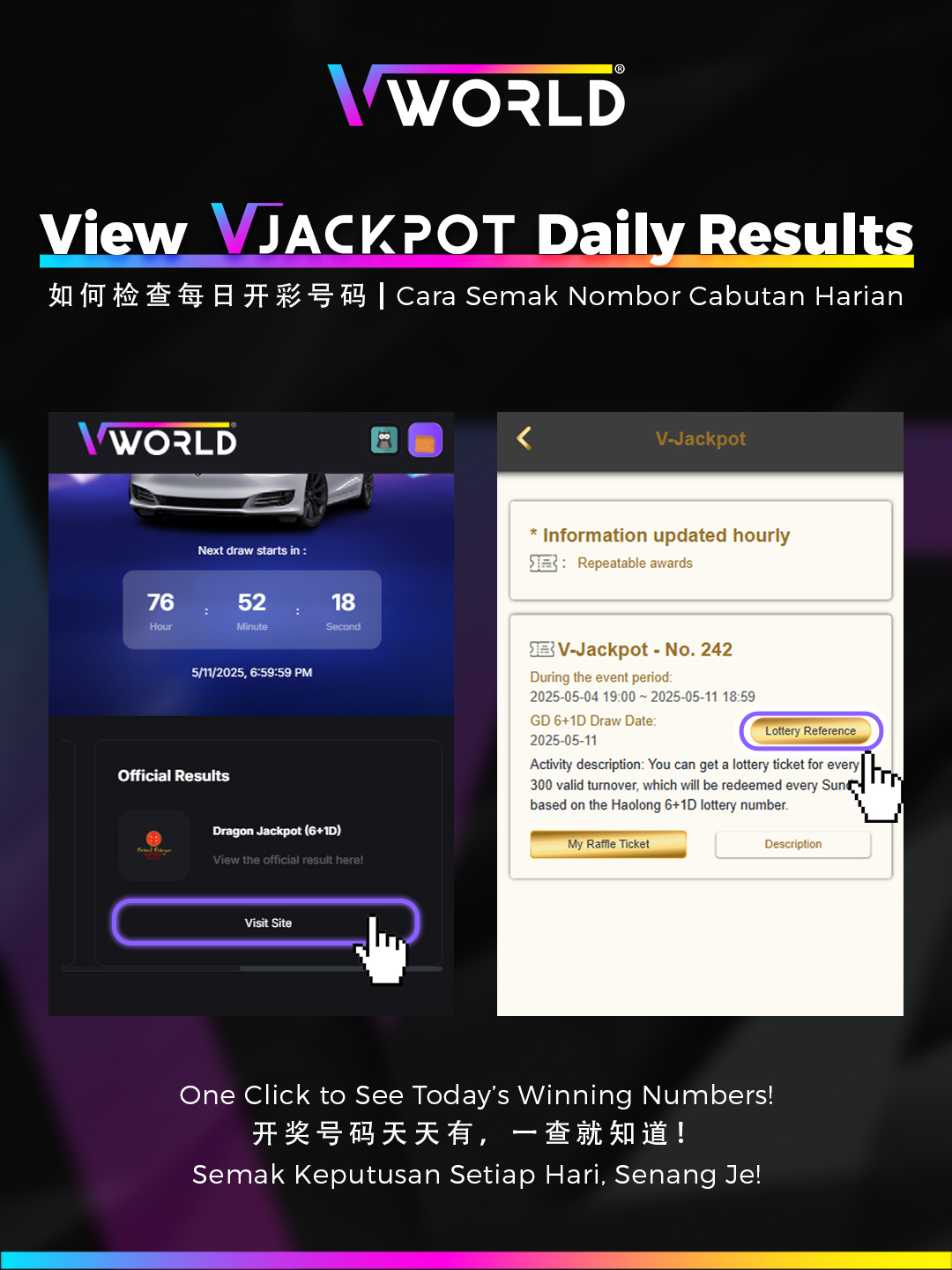
- In the VJackpot section, tap Daily Results or Today's Draw.
- Results for the current day's draw (after midnight cut-off) are shown.
- If you are a winner, a notification will also appear in your account and the prize is automatically credited.
- Prizes are credited to your main wallet — no manual claim needed.
Remember:
VJackpot participation is fully automatic. As long as you place real-money bets, you are in the daily draw — no separate opt-in needed. Want to learn more? Read our VJackpot strategy guide.